You’ve probably moved a dozen times, but did you know laying your computer monitor flat during transport can cause permanent LCD damage? California movers reveal the critical positioning mistake that ruins screens… and the three-layer protection method that prevents it.
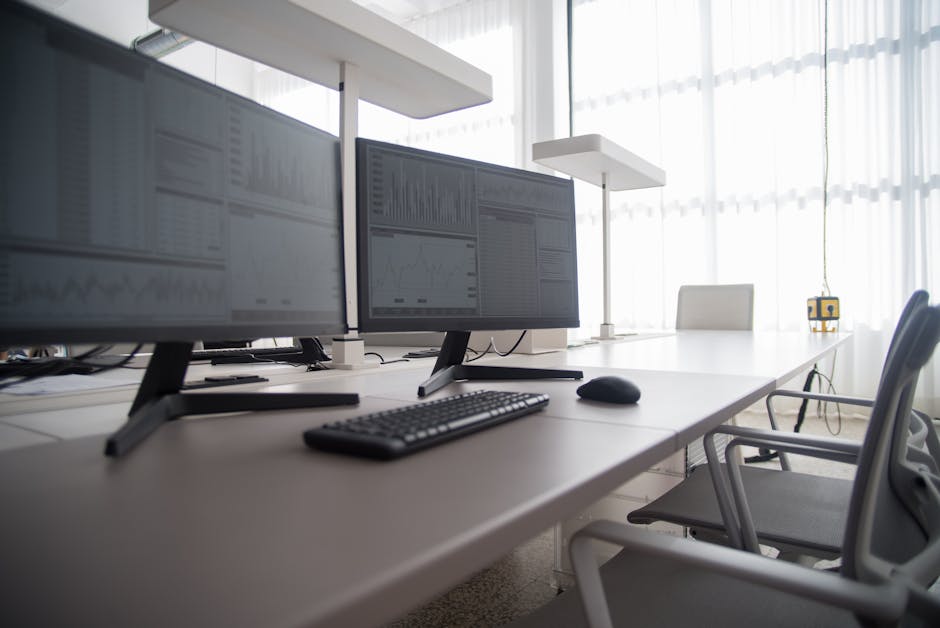
Moving computer monitors safely requires specialized techniques that go beyond standard packing methods. These delicate electronics contain sensitive components that can suffer permanent damage from improper handling, temperature changes, or impact during transport. For residents and businesses in a tech-heavy environment, protecting valuable monitor investments during relocation demands professional-level preparation and execution.
Proper monitor preparation begins well before packing materials enter the picture. Unplug all cables and allow the monitor to cool down completely if it was recently in use, as heat can make LCD panels more susceptible to damage. Remove any detachable stands or mounting arms, wrapping these separately to prevent scratching or pressure on the screen. Clean the display surface gently with a microfiber cloth to remove dust and fingerprints that could cause scratches during the packing process.
Document cable connections with photos before disconnection to simplify setup at the destination. This step is invaluable when dealing with multiple monitor configurations or complex workstation setups.
The monitor's screen is the most vulnerable component requiring specialized protection techniques. Professional movers employ a three-layer approach that provides protection against impact, static electricity, and pressure damage.
Wrap the monitor in 3-5 layers of anti-static bubble wrap, starting with the screen face and working systematically around to the back panel. Anti-static material prevents electrical discharge that can damage sensitive internal components. Ensure complete coverage without leaving gaps where impact could reach the monitor surface. Secure each layer as you progress, but avoid applying tape directly to the monitor housing.
Place a clean microfiber cloth or thin foam padding over the screen first, then cut a piece of cardboard to match the exact screen dimensions and position it over the protective layer before applying bubble wrap. This rigid barrier distributes impact forces across the entire surface rather than allowing concentrated pressure points. Custom-cut cardboard protection significantly reduces crack risk during handling and transport, especially for larger monitors where flexibility becomes a concern.
Use high-quality packing tape to secure all wrapping layers, ensuring tape contacts only the protective materials and never the monitor itself. Create tape handles on opposite sides for safe lifting and positioning. Professional-grade tape maintains adhesion throughout temperature changes and extended transport periods, preventing unwrapping during transit.
Box selection directly impacts monitor safety, with specific requirements that differ from standard moving containers. The right combination of structural integrity and internal cushioning creates a protective environment that absorbs shocks and prevents movement.
Use sturdy, double-walled cardboard boxes slightly larger than the wrapped monitor, or invest in specialized TV/monitor boxes designed for electronics transport. Original manufacturer packaging provides optimal fit and protection when available. Double-walled construction offers superior crush resistance and maintains structural integrity under stacking pressure or impact.
Create a cushioned foundation with a thick layer of packing material at the box bottom before positioning the wrapped monitor. Fill all empty spaces with packing peanuts, crumpled paper, or additional bubble wrap to eliminate movement during transport. The monitor should fit snugly without pressure points that could create stress on the housing or screen assembly.
Transport protocols can make the difference between safe arrival and costly damage claims. Understanding the physics of monitor construction helps explain why specific handling requirements exist for these delicate devices.
Computer monitors must always be transported upright, never laid flat, as horizontal positioning creates internal stress that can permanently damage LCD or LED panels. The vertical orientation matches the monitor's intended operating position and prevents gravitational stress on internal components. Secure monitors against shifting during transport using additional cushioning or restraint systems.
Electronics require protection from extreme temperature changes that can cause condensation and component damage. Transport monitors in climate-controlled environments when possible, and allow 24 hours for temperature acclimation before powering on after arrival. This waiting period prevents thermal shock and condensation-related electrical damage.
Proper cable organization prevents tangling, loss, and connection confusion during unpacking. Label each cable with its corresponding device using removable tags or color-coded ties. Secure cables with twist ties and place them in labeled plastic bags, ideally packed with the main device or in a separate accessories box. This systematic approach eliminates guesswork during workspace reconstruction and prevents delays caused by missing or misidentified connections.
Consider creating a cable inventory list for complex setups involving multiple monitors, adapters, and specialized connections. Digital photos of connection configurations provide visual reference for accurate recreation of original setups.
While DIY packing can work for single monitors, certain situations demand professional expertise and specialized equipment. Understanding these scenarios helps determine the most cost-effective approach for monitor protection.
Professional movers bring specialized training in electronics handling that goes beyond basic packing techniques. They understand the unique vulnerabilities of different monitor technologies and adjust their methods accordingly. Experienced teams recognize potential damage scenarios that untrained packers might miss, preventing costly mistakes before they occur.
Professional packing services provide access to commercial-grade materials and proven techniques developed through thousands of successful moves. Full-service options include custom crating for high-value monitors, specialized padding systems, and insurance coverage. The time savings and peace of mind often justify the additional cost, especially for valuable gaming setups or professional workstations.
Monitor safety goes beyond individual packing to include loading, transport, and unloading procedures. Clearly label boxes with "FRAGILE," "THIS SIDE UP," and "Do Not Stack" on multiple sides to ensure careful handling throughout the moving process. Pack monitors separately from heavy items to prevent crushing and impact damage.
Consider the transportation environment, including vehicle type, road conditions, and travel duration. Longer moves require more robust protection and climate control measures. Vibration dampening becomes increasingly important for extended transport periods where cumulative stress can cause damage - and this is an area in which professional movers are well-versed.


